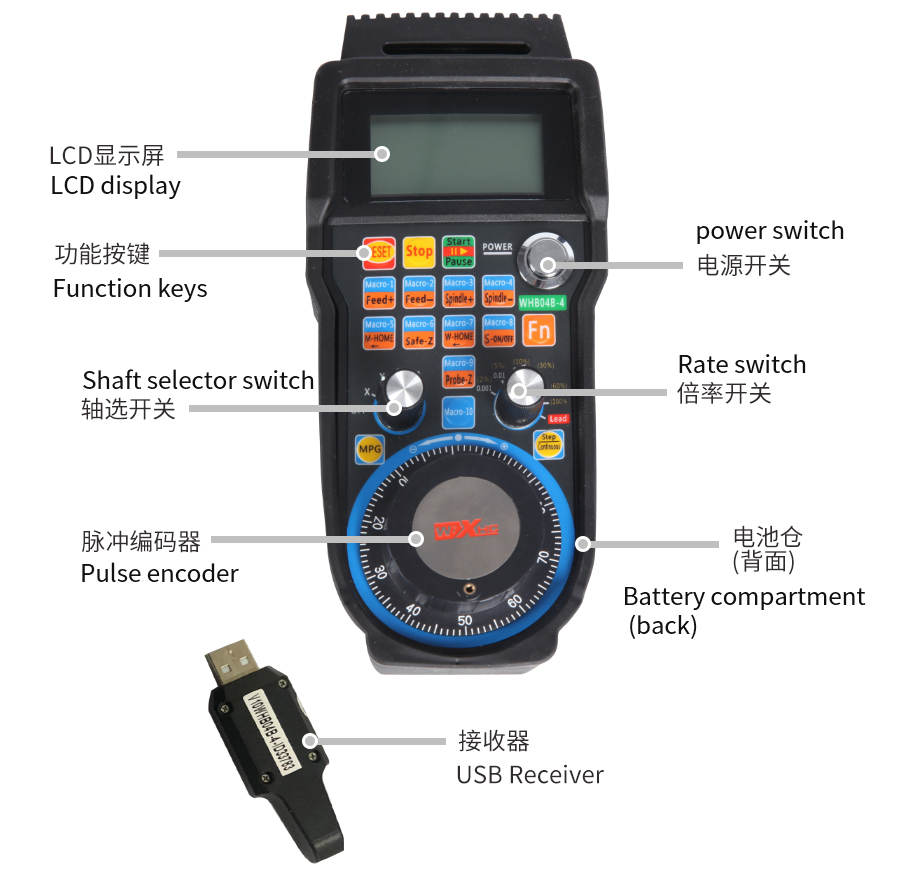
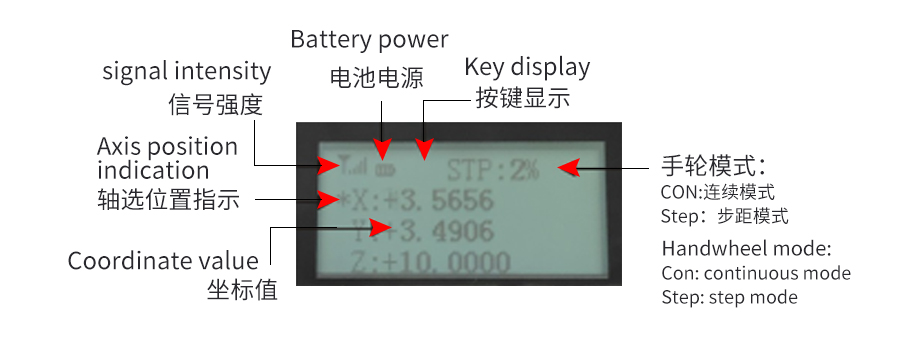
按键说明
| 复位按钮 | 停止按钮 |
| 开始/暂停按钮 | 和组合键一起按下,加工速度增加;单独按下按钮,功能1输出; |
| 和组合键一起按下进给速度减少:单独按下功能2输出; | 和组合键一起按下,主轴速度增加;单独按下按钮,功能3输出; |
| 和组合键一起按下,主轴速度减少;单独按下按钮,功能4输出; | 和组合键一起按下,返回机床原点;单独按下按钮,功能5输出; |
| 和组合键一起按下,返回安全Z;单独按下按钮,功能6输出; | 和组合键一起按下,返回工件原点;单独按下按钮,功能7输出; |
| 和组合键一起按下,主轴开关;单独按下按钮,功能8输出; | 和组合键一起按下,对刀;单独按下按钮,功能9输出; |
| 功能10按钮 | 组合功能按钮 |
| 连续按钮:按下按钮,手轮进入连续模式 | 步距按钮:按下按钮,手轮进入步距模式 |
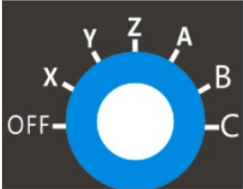
| OFF为关闭轴选 X,Y,Z,A,B,C:档切换控制的轴。 |
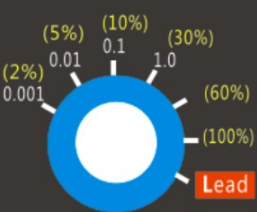
0.001-1.0:步距模式点动精度选择 2%-100%:连续模式手轮速度百分比 |


| -点击下载驱动和详细说明书- |
| 下载以上说明书和驱动程序请点击本页面右上角“...”,选择“在浏览器中打开”(已用浏览器打开略过本提示)。 |
