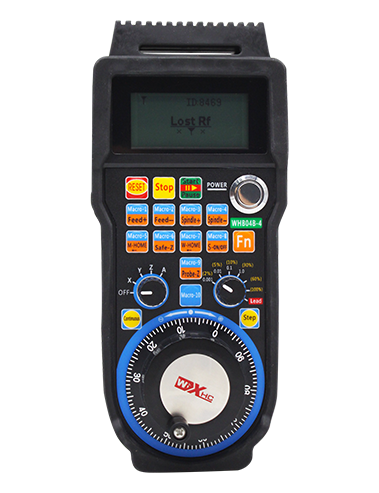

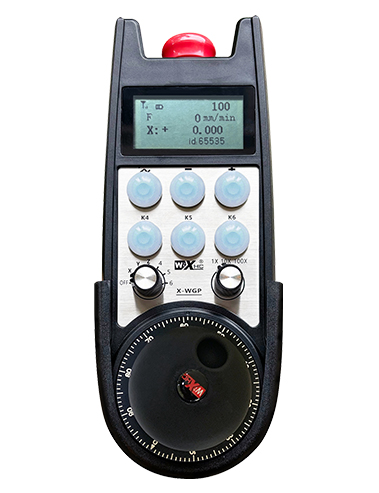
Wireless electronic handwheel/electronic handwheel/handwheel/CNC electronic handwheel wireless electronic handwheel XWGP-ETS-FANUC
Applicable to Fanuc CNC system.
Fanako special handwheel XWGP–Ets-Fanuc
Description


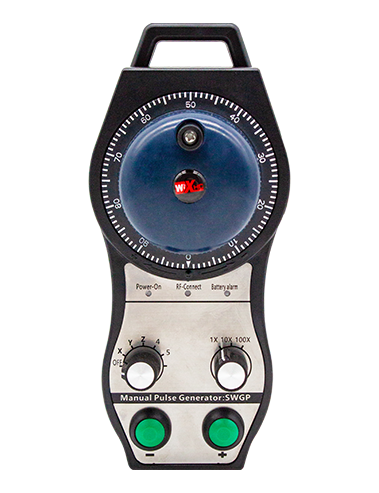
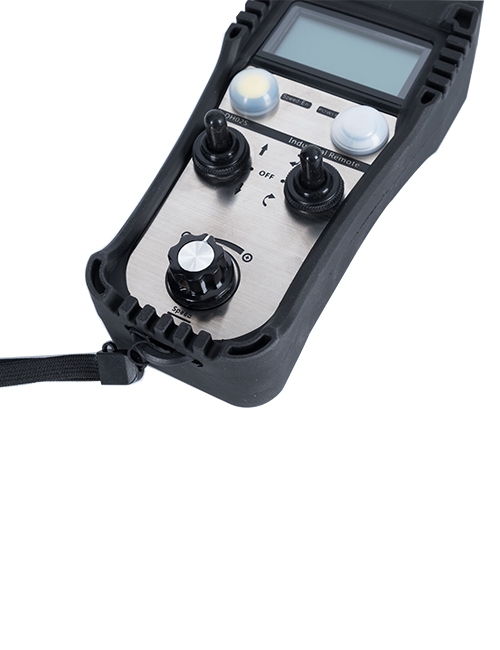
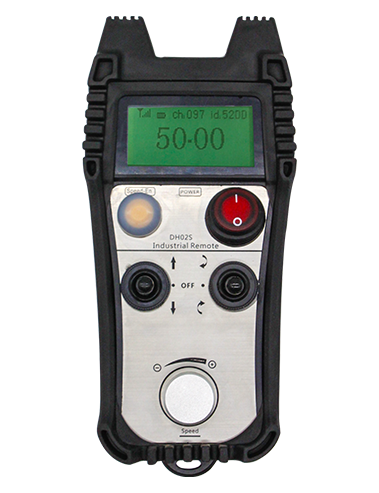
Wireless electronic handwheel is used for manual guidance of CNC machine tools、position、Strike operation。This product uses wireless transmission technology,Eliminates traditional spring wire connections,Reduce equipment failures caused by cables,Free cable drag,Disadvantages such as oil stains,More convenient operation。This model of wireless electronic handwheel is a special handwheel for FANUC systems.,Real-time display of FANUC system coordinates on the handwheel screen through the IO-LINK protocol,And through the IO-LINK protocol,Select the axis directly、magnification、Button signal access system,Reduce wiring。

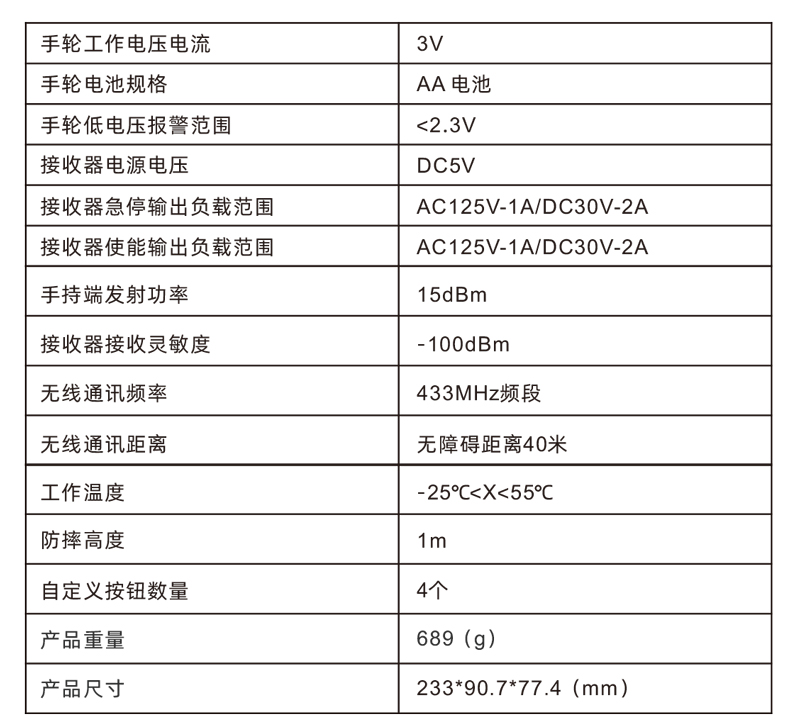
1.Adopt 433MHZ wireless communication technology,Wireless operation distance 40 meters;
2.Adopt automatic frequency hopping function,Use 32 sets of wireless remote controls at the same time,No effect on each other;
3.Support emergency stop button,Switching quantity IO signal output,Connect to the system via IO wiring;
4.Supports 4 custom buttons,Switching IO signal,Output signals to the system through IO-LINK protocol;
5.Supports quick movement buttons + and -,Press and hold the button to move the machine instead of the handwheel;
6.Support 6-axis control,Switching IO signal,Output signals to the system through IO-LINK protocol;
7.Supports 3-speed multiplier control,Switching IO signal,Output signals to the system through IO-LINK protocol;
8.Support enable button function,Connect to the system via IO wiring,Control encoder enable at the same time;
9.Support pulse encoder,100Pulse/Circle,Access the system MPG handwheel interface by outputting AB coded signals;


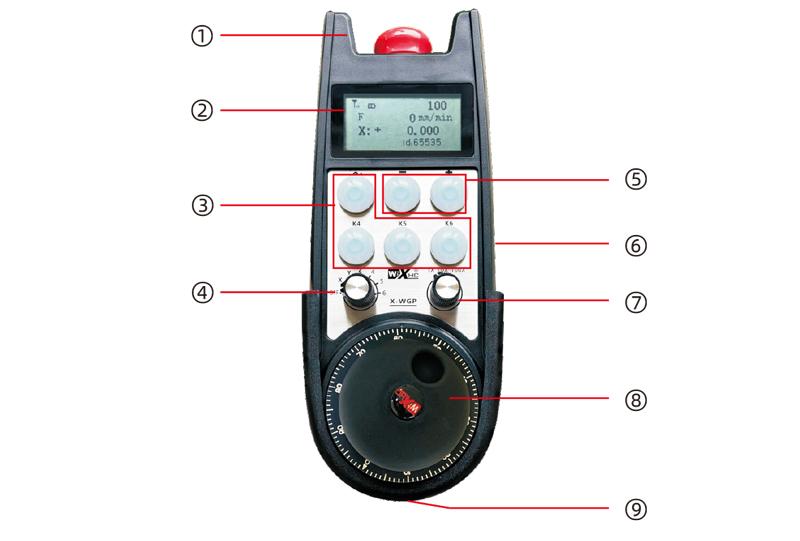
Comments:
Comments:
①Emergency stop button:
Press the emergency stop button,Two groups of emergency stop IO outputs on the receiver are disconnected,And all functions of the handwheel are invalid。After the emergency stop is released,Emergency stop IO output closed on the receiver,All functions of the handwheel are restored。
②Screen display:

③Custom button:
4Custom buttons,Each button corresponds to an IO output point on the receiver,Connect to the system via IO-LINK。Generally, the ~ button is set as a high-speed button。
④Axis selection switch:
Switching the axis selection switch can switch the moving axis controlled by the handwheel。
⑤Shortcut button:
Press the shortcut button +,Machine moving forward,Press the shortcut button -,Machine moves in negative direction,Can replace the hand wheel to move the machine。
⑥Enable button:
Press and hold either enable button on either side,It is effective only by shaking the pulse encoder。 And the 2 sets of enabled IO outputs on the receiver are turned on,Release the enable button,Enable IO output disconnection。
⑦Magnification switch:
Switching the magnification switch can switch the magnification controlled by the hand wheel.。
⑧Pulse encoder:
Press and hold the enable button,Shaking pulse encoder,Send a pulse signal,Control the machine shaft movement。
⑨Power switch:
Handwheel start button。

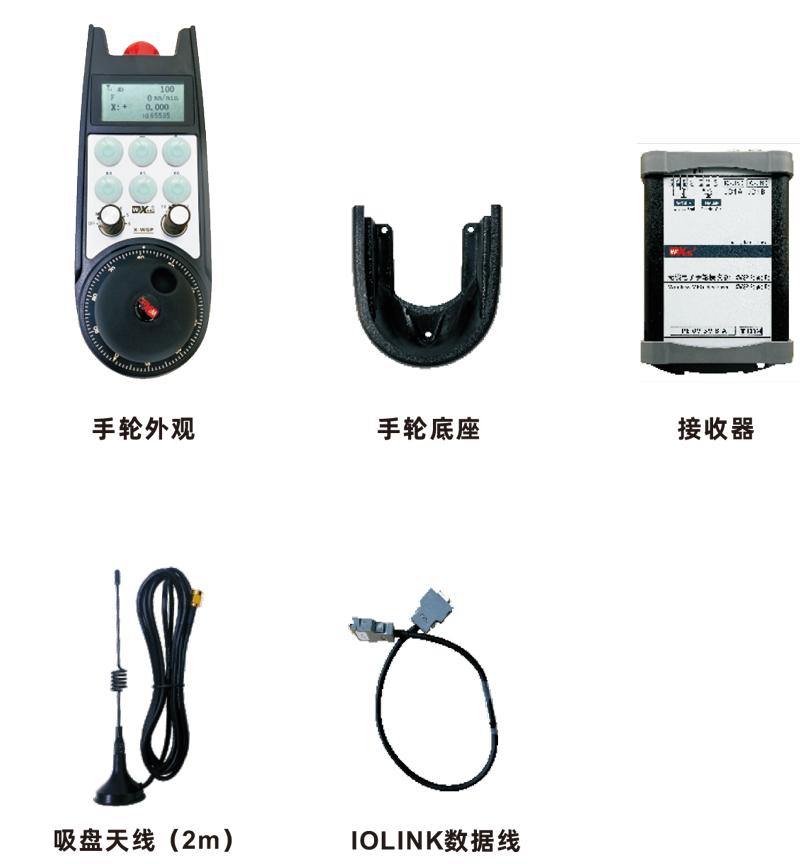

Product installation steps:
1.Install the receiver in the electric cabinet through the snap-on on the back,Or install it in the electrical cabinet through the screw holes at the four corners of the receiver.。
1.Install the receiver in the electric cabinet through the snap-on on the back,Or install it in the electrical cabinet through the screw holes at the four corners of the receiver.。
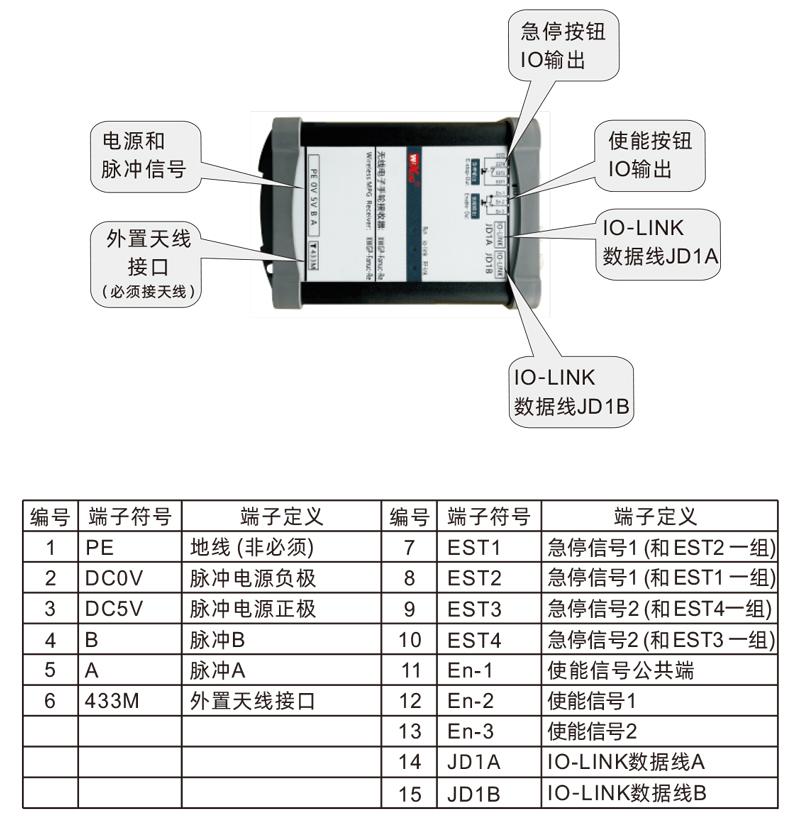
2.Refer to our receiver wiring diagram,Compare your on-site equipment,Connect the device through a cable and a receiver。
3.After the receiver is fixed,The antenna equipped with the receiver must be connected,And install the outer end of the antenna or place it outside the electric cabinet,It is recommended to place the signal on the top of the electric cabinet.,It is not allowed to disconnect the antenna,Or place the antenna inside the electric cabinet,It may cause the signal to be unusable。
4.Finally turn on the handwheel power switch,You can operate the handwheel remote control machine。
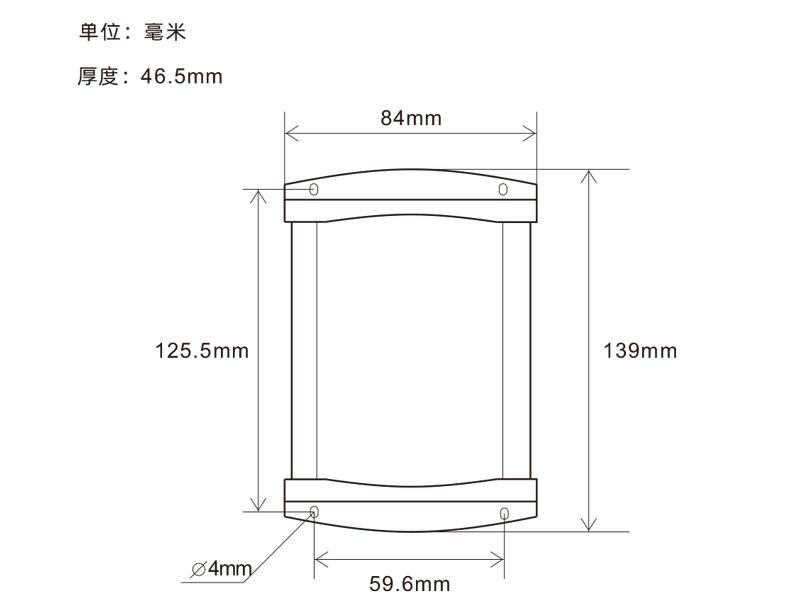
Receiver installation size:
Receiver Wiring Reference Diagram:

1.Please at room temperature and pressure,Used in dry environments,Extend service life;
2.Please avoid getting wet in the rain、Used in abnormal environments such as blisters,Extend service life;
3.Please keep the handwheel clean,Extend service life;
4.Please avoid squeezing、Fall、Bumping, etc.,Prevent precision accessories inside the handwheel from damage or accuracy errors;
5.Not used for a long time,Please store the handwheel in a clean and safe place;
6.Pay attention to moisture-proof and shock-proof during storage and transportation。

1.Please read the instructions for use in detail before use,Non-professional personnel are prohibited;
2.Please charge in time when the battery is too low,Avoid errors caused by insufficient power, causing the handwheel to be unable to operate;
3.If repair is required,Please contact the manufacturer,If damage caused by self-repair,The manufacturer will not provide a warranty。