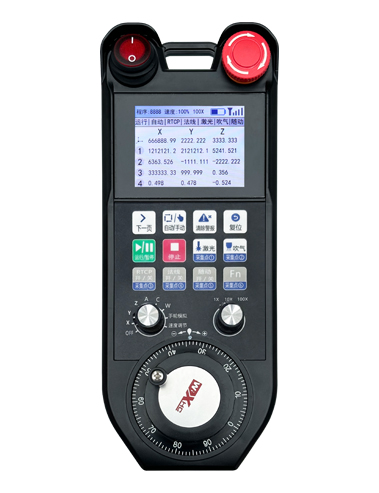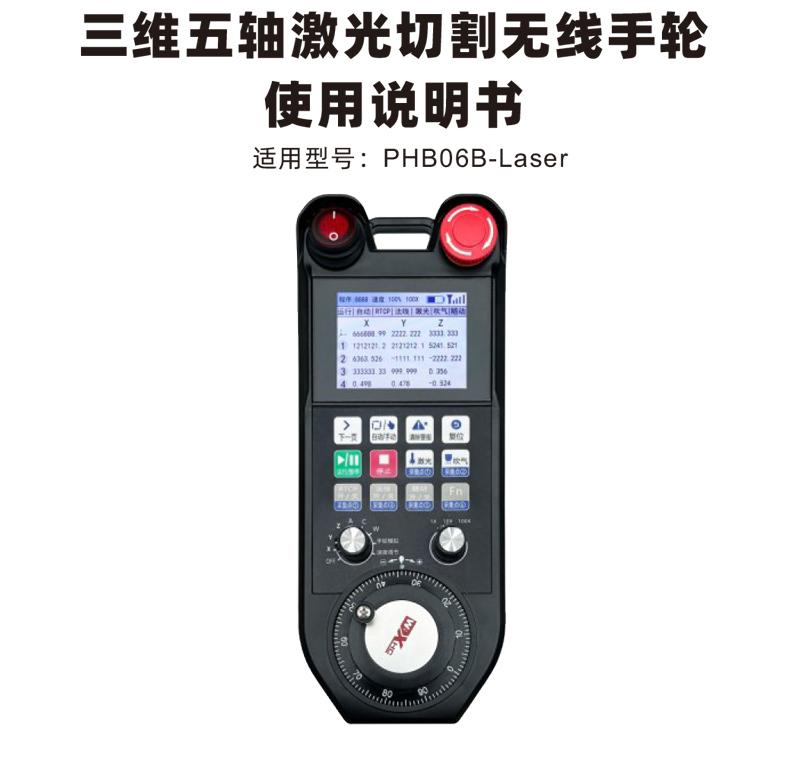

PHB06B-Laser通过Modbus TCP 协议实现数控系统的无线遥控操作 ,支持12个按键 ,支持实时显示系统坐标和状态。

1.12个按键,其中6个支持IO信号。
2.2.8寸彩屏显示。
3.1个9档轴选开关,最大支持6轴输出。
4.1个3档倍率开关。
5.1Electronic handwheel,100Pulse/Circle。
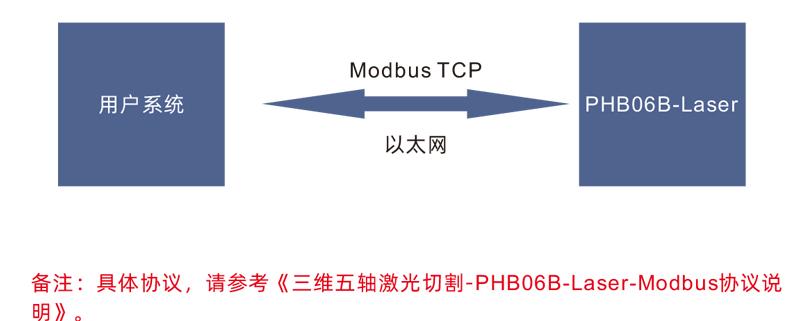
6.接收器以太网接口,Modbus TCP通信。
7.Supports standard Type-C charging,5V-2A charging specifications,内置电池规格18650/12775mWh。

PHB06B-Laser通过以太网接口与用户系统相连。通过Modbus TCP协议进行数据交互,用户的系统作为Modbus主站,可以下传系统实时显示坐标,读取PHB06B-Laser手柄按键轴选等信息,从而实现实时数据通讯。

| Receiver power supply voltage |
DC5V-DC24V |
| Key service life |
15Thousands of times |
| Operating temperature |
-25℃<X<55℃ |
| Anti-fall height |
1rice |
| Receiver Port |
Ethernet
|
| Number of keys |
12indivual |
| Display |
2.8寸彩屏
|
| Wireless communication frequency |
433MHz band
|
| 接收器灵敏度 |
-100dBm
|
| Handheld transmit power |
15dBm |
| Wireless communication distance |
无障碍距离100米
|
| Rechargeable battery specifications |
18650/12775mWh
|
|
充电底座电源电压
|
DC24V/1A |
|
有线充电规格
|
Type-C充电口,DC5V/2A |

Comments:
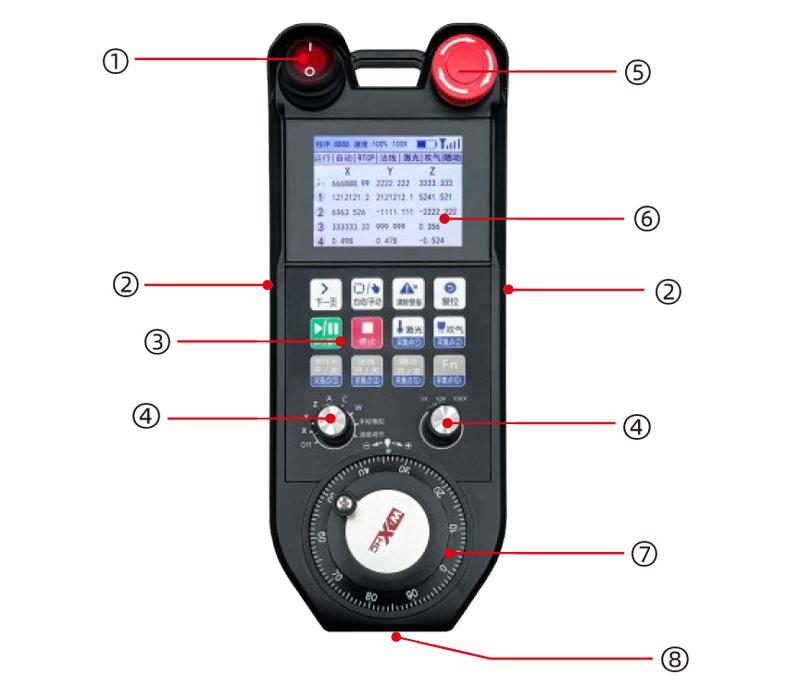
①Power switch
Control handwheel on and off。
②Enable buttons on both sides
The enable button must be held on the handwheel。
③按键区域
12个按键
④Simulation selection,Multiplier switch
1个9档轴选开关;1个3档倍率开关。
⑤Emergency Stop Switch
Handwheel emergency stop switch。
⑥ Display area
可显示坐标,状态等。
⑦ Electronic handwheel
1Electronic handwheel,100Pulse/Circle。
⑧Type-C充电口
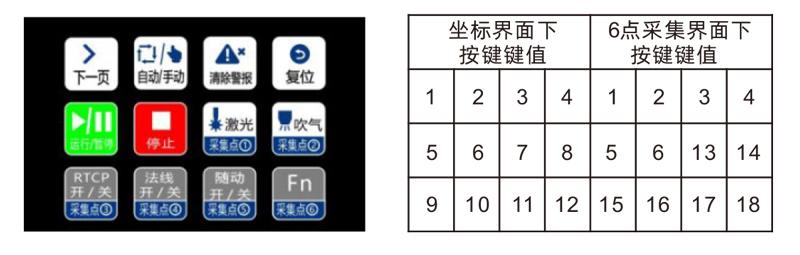
手持显示有坐标界面和6点采集界面,通过按键“下一页”翻页切换。
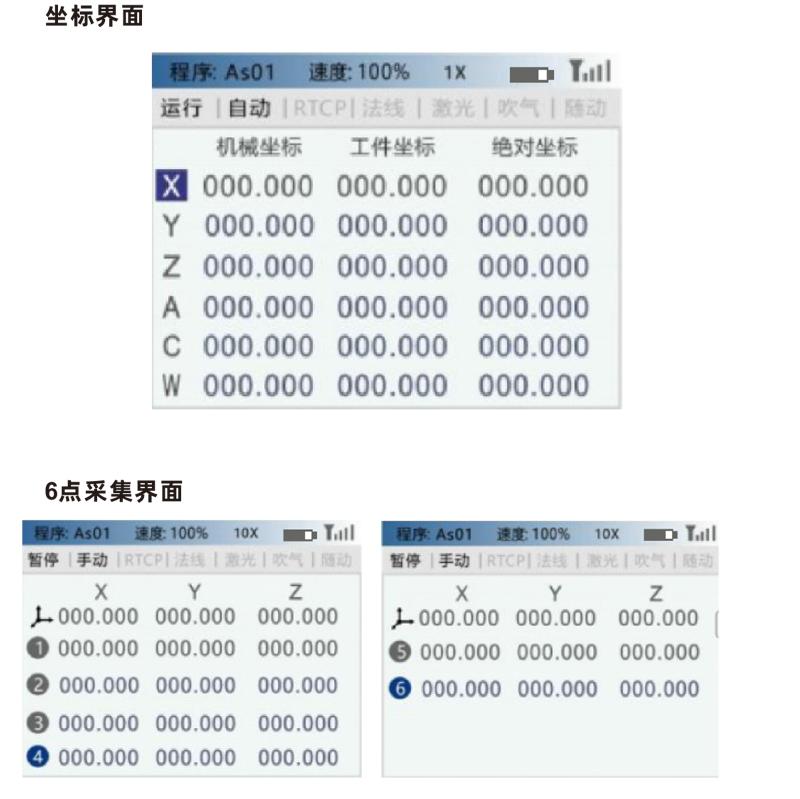
手持按键区域的采集点①-采集点⑥按键分别在坐标界面和6点采集界面下对应两组键值,即同一按键可支持两种功能(采集点①-采集点⑥)。

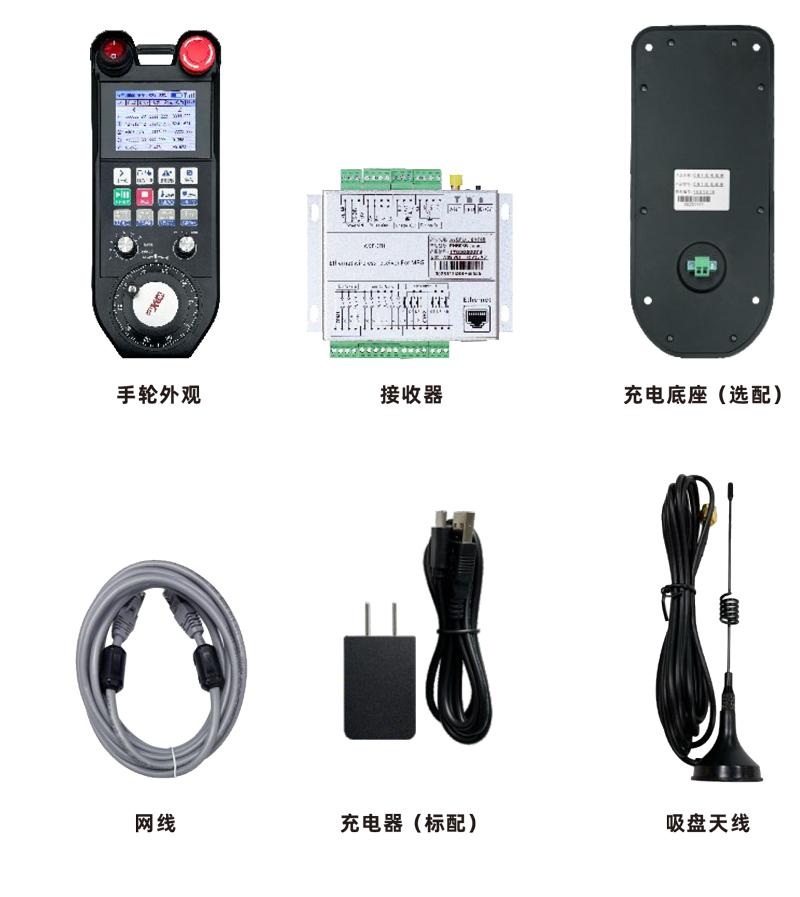


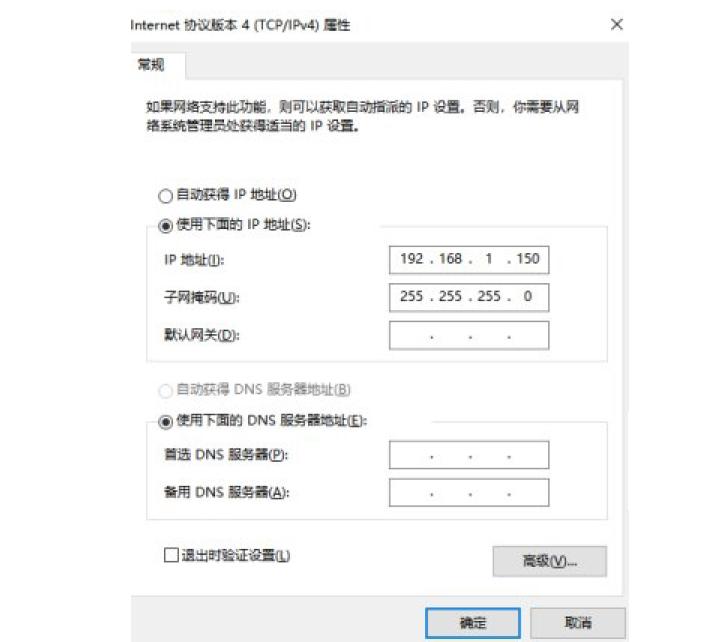
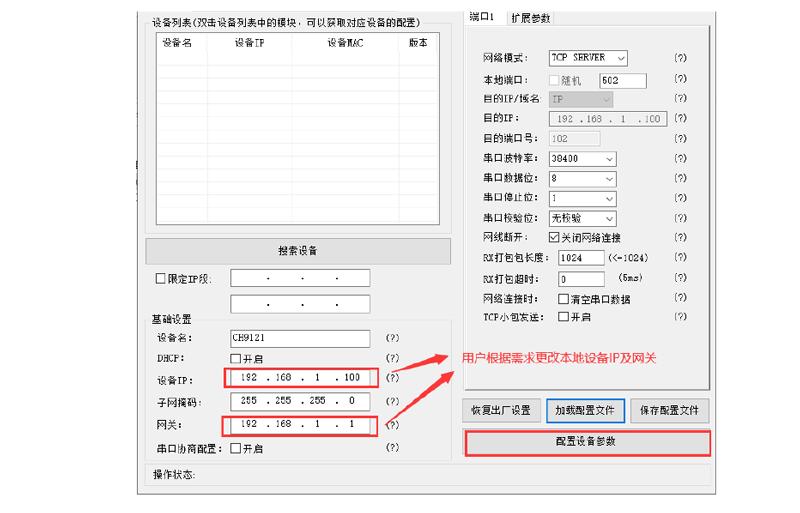
接收器接入电源DC24V,以太网连接电脑,将电脑IP修改为192.168.1.150
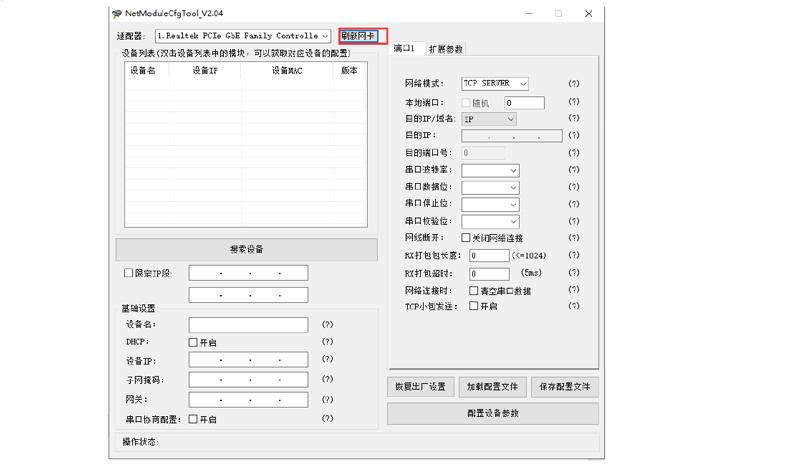
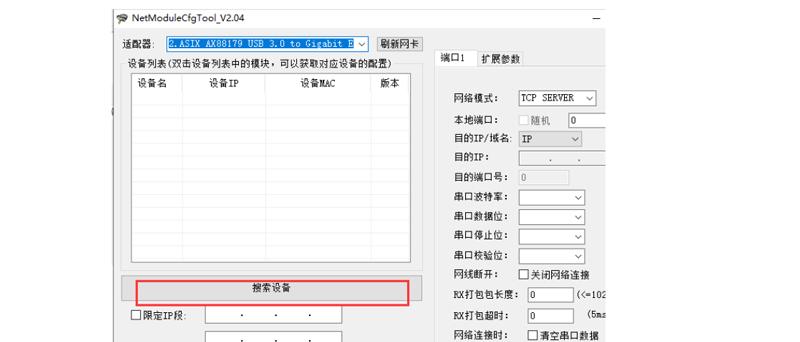
首先使用我们所提供的网络配置工具配置接收的IP地址等参数。(需检查网线是否插入对应网口)。
点击刷新网卡
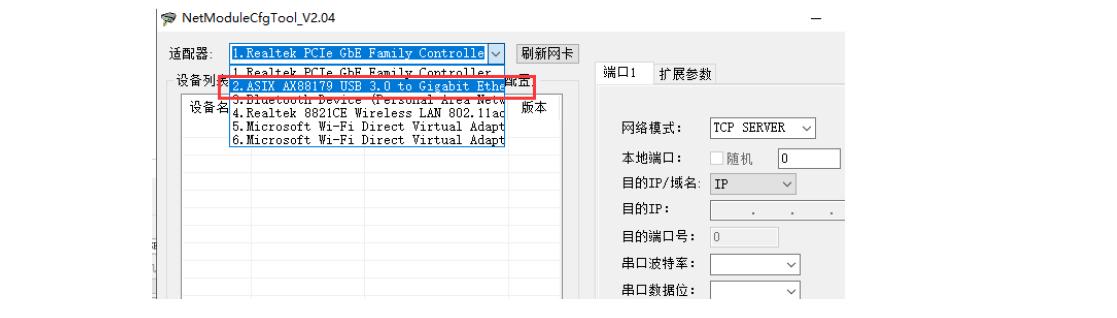
找到与接收器连接的网卡,并选择
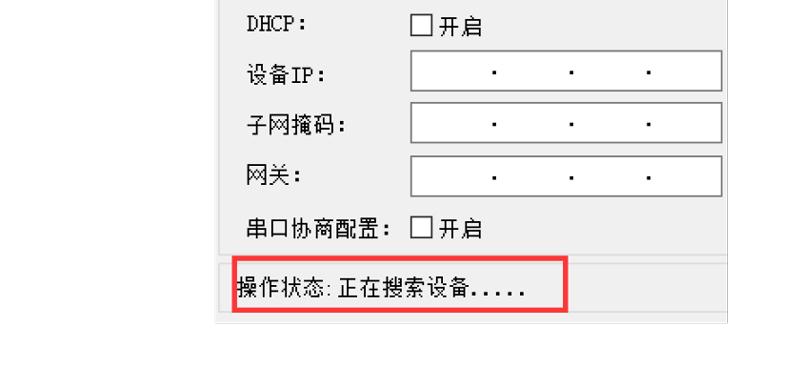
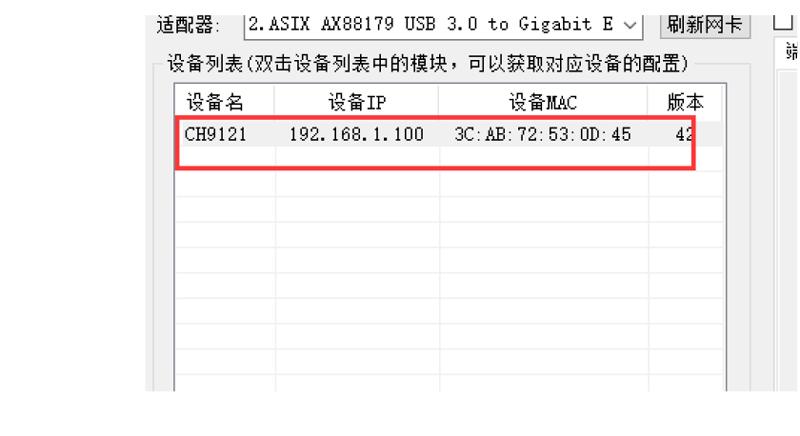
点击搜索设备,并等待搜索完成,若未成功,可多次尝试
双击设备名称
点击加载配置文件
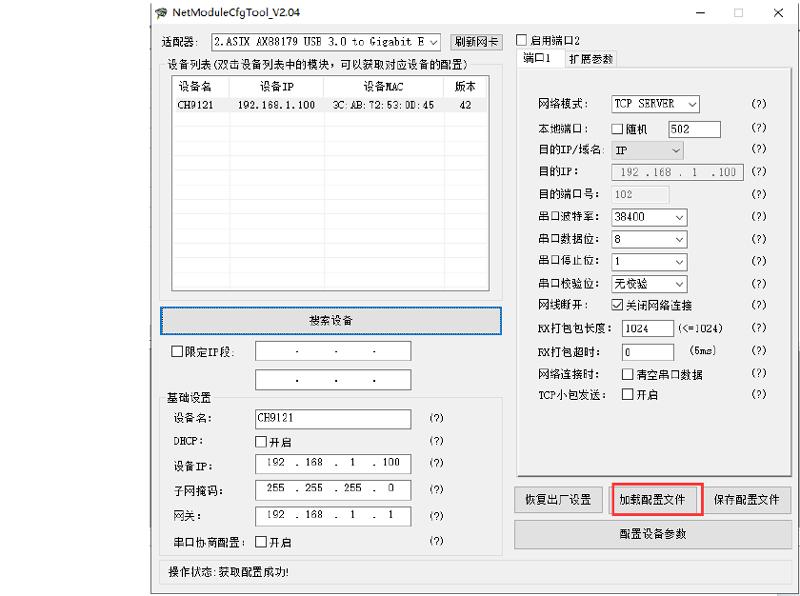
双击PHB06B-Laser配置
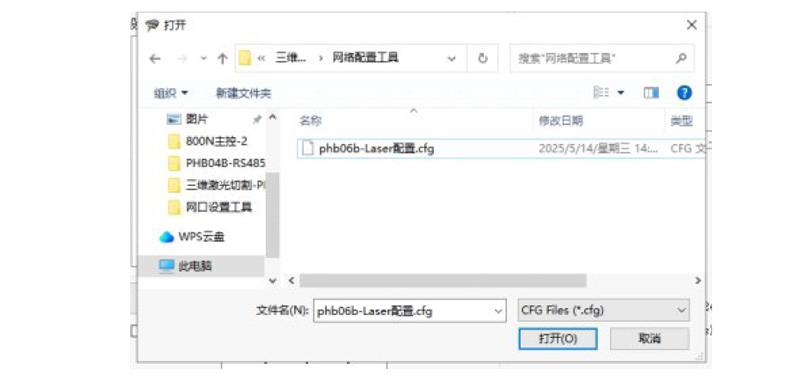
点击配置设备参数
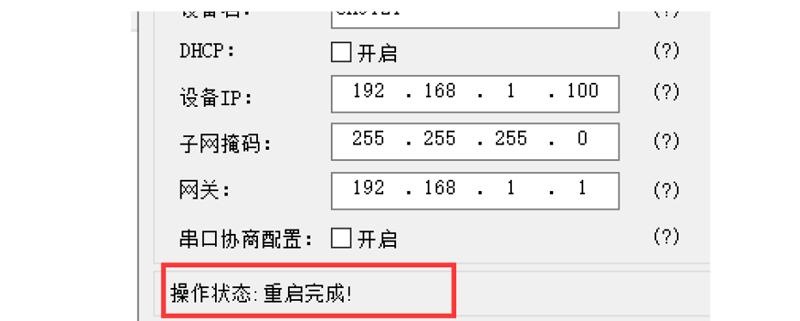
等待配置完成,并重启完成。若配置失败,请重新进行以上配置。

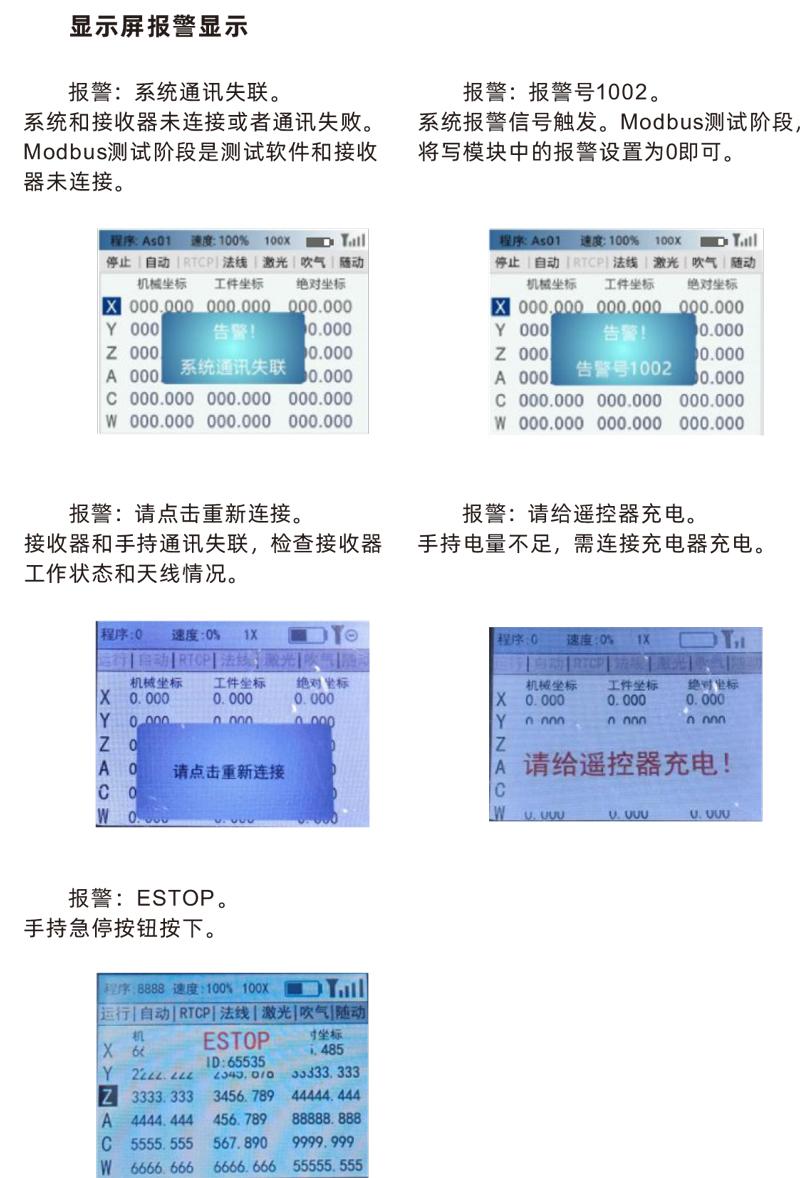
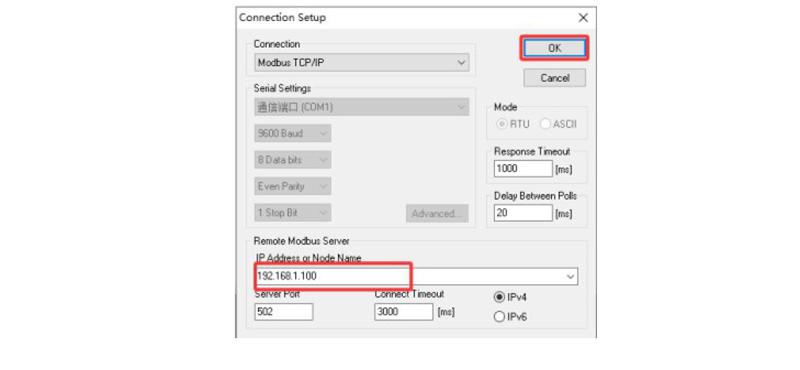
网络配置成功后,可以用Modbus测试工具对手轮进行测试,安装打开测试软件之后,找到“Connection”,并选择“Connect…”进行配置。选择Modbus TCP/IP模式,设置IP :192.168.1.100,点击OK,连接成功后手轮
显示屏不再显示:系统通讯失联。若连接失败,可多次尝试以上操作。
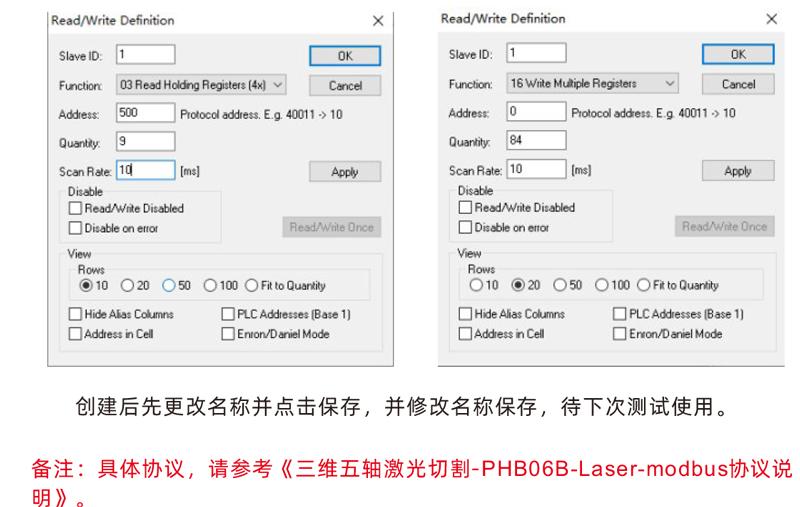
创建两个窗口(读取寄存器/写入寄存器)


1.Please at room temperature and pressure,Used in dry environments,Extend service life。
2.Do not use sharp objects to touch the button area,Extend the service life of the button。
3.Please keep the button area clean,Reduce key wear。
4.Avoid squeezing and falling causing damage to the remote control。
5.Be careful of moisture protection during storage and transportation。

1.Please read the instructions for use in detail before use,Non-professional personnel are prohibited。
2.If repair is required,Please contact the manufacturer,If damage caused by self-repair;The manufacturer will not provide a warranty。