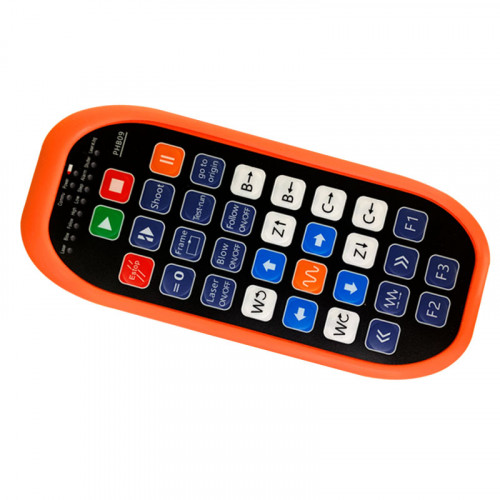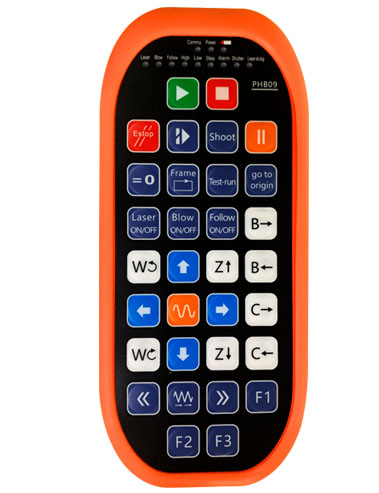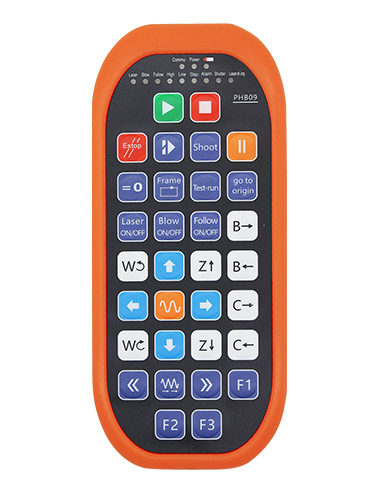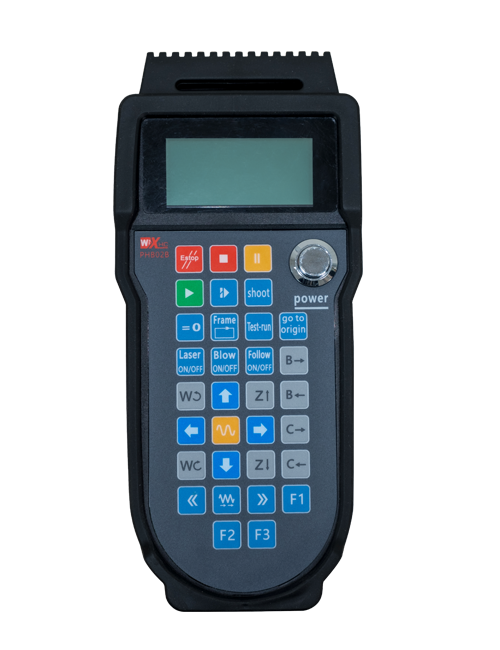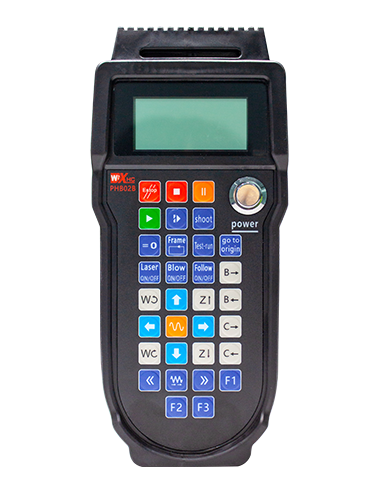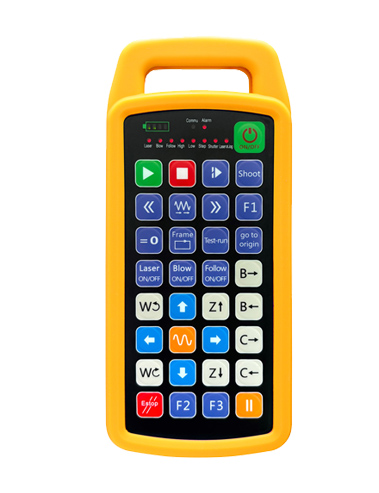
Programmable wireless remote control consists of two parts:Remote control + USB receiver + external antenna + charger
Supports 32 custom button programming
Supports 9 custom LED light display programming


Programmable wireless remote control consists of two parts:Remote control + USB receiver + external antenna + charger
Supports 32 custom button programming
Supports 9 custom LED light display programming
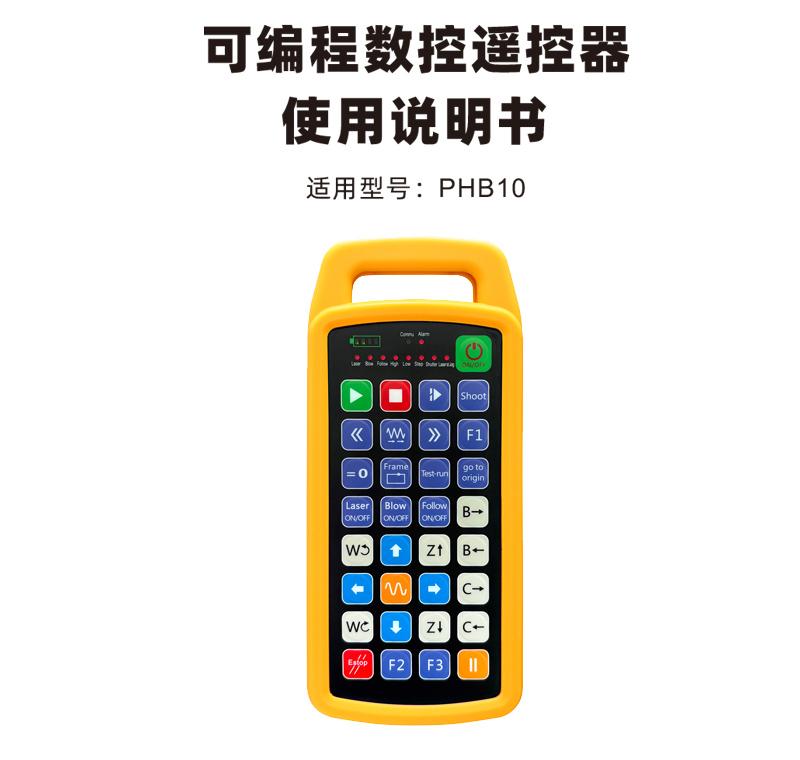

Programmable CNC remote control PHB10 is suitable for wireless remote control operation of various CNC systems,Support user-defined programming to develop button functions,Implement remote remote control of various functions on CNC system;Support user-defined programming to develop LED lights to turn on and off,Implement dynamic display of system status;Remote control comes with rechargeable battery, Support Type-C interface charging。

1.Adopt 433MHZ wireless communication technology,Wireless operation distance 80 meters;
2.Adopt automatic frequency hopping function,Use 32 sets of wireless remote controls at the same time,No effect on each other;
3.Supports 32 custom button programming;
4.Supports 9 custom LED light display programming;
5.Supports IP67 waterproof rating;
6.Supports standard Type-C interface charging;5V-2A charging specifications;1100mAh large capacity battery, Equipped with automatic sleep standby function;Achieve long-term low-power standby;
7.Support real-time display of battery power。

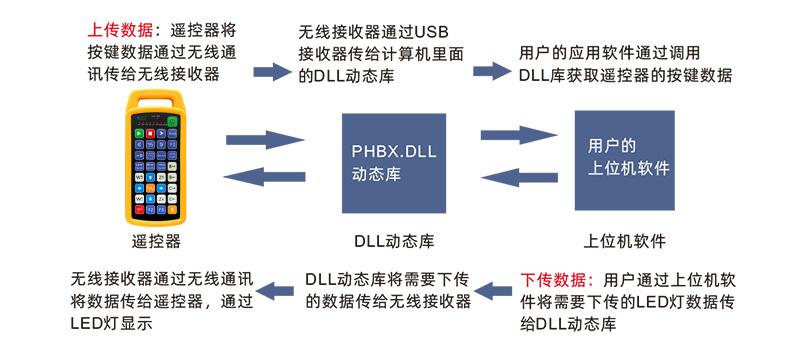
Remark:Detailed DLL dynamic link library application,Please refer to "PHBX DLL Library-windows Application Instructions"。

| Handheld terminal working voltage and current | 3.7V/7mA |
| Rechargeable battery specifications | 3.7V/14500/1100mAh |
| Handheld terminal low voltage alarm range | <3.35V |
| Handheld transmit power | 15DBM |
| Receiver Receive Sensitivity | -100DBM |
| Wireless communication frequency | 433MHZ frequency band |
| Key service life | 15Thousands of times |
| Wireless communication distance | Accessible distance 80 meters |
| Operating temperature | -25℃<X<55℃ |
| Anti-fall height (meter) | 1 |
| Receiver Port | USB2.0 |
| Number of keys (pieces) | 32 |
| Custom LED light quantity (pieces) | 9 |
| Waterproof level | Ip67 |
| Product size (mm) | 190*81*26(Remote Control) |
| Product weight (g) | 265.3(Remote Control) |

Comments:
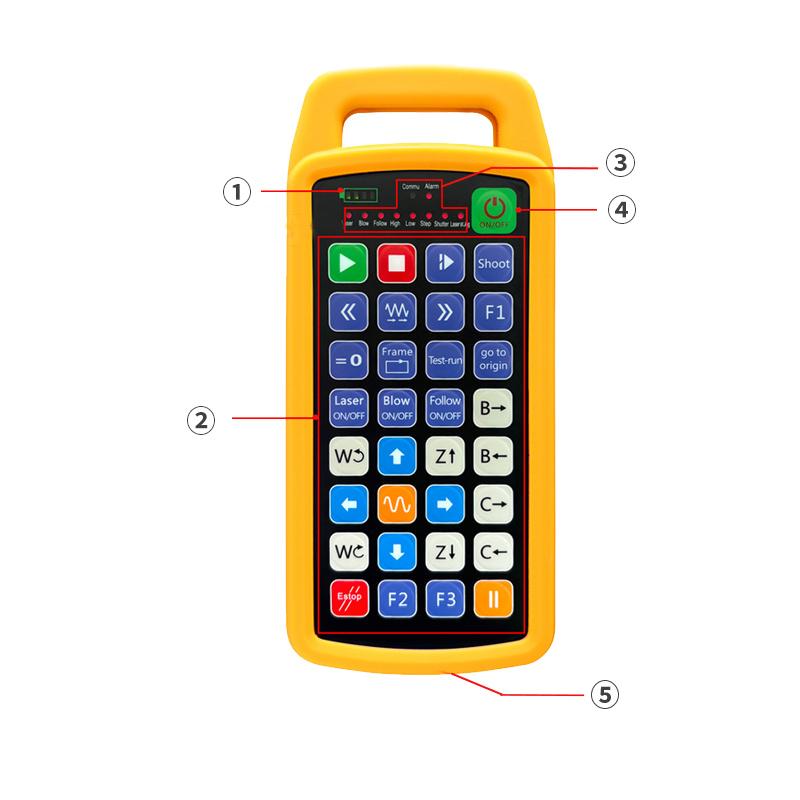
①Battery display: Lights up after power on,Turns off after shutting down;
The battery light only lights up one bar,and keeps flashing,Indicates the battery is too low,Please replace the battery; The battery light is all on,Other LED lights flash back and forth,Indicates extremely low battery,Please replace the battery; The battery light does not turn on or off,And long press the power button,Unable to start,Please replace the battery;
②Button area: 432 buttons arranged in X8,User-defined programming usage;
③Status indicator light: COMMU:Button indicator light,The button lights up when pressed,Release and extinguish;Other lights are customized displays;
④Power switch: Press and hold for 3 seconds to turn on,Press and hold for 3 seconds to turn off;
⑤Charging port: Charging using Type-C charger,Charging voltage 5V,Current 1A-2A;Charging time 3-5 hours; While charging,Battery light flashes,Indicates charging,After full,Battery display is full,No flashing。
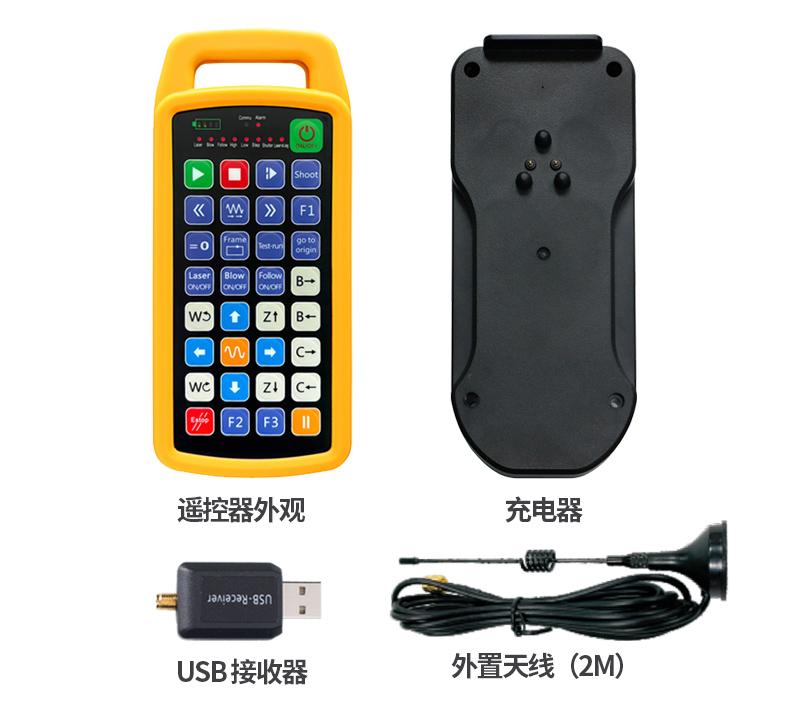

1 .Plug the USB receiver into the computer,The computer will automatically recognize and install the USB device driver,No manual installation required;
2.Plug the remote control into the charger,After the battery charge is fully charged,Press and hold the power button for 3 seconds,Remote control turned on,The battery indicator lights up,It means the startup is successful;
3.After booting,Any key operation can be performed。The remote control can support dual buttons to operate simultaneously。When any key is pressed,The COMMU light on the remote control will light up,This button is valid。

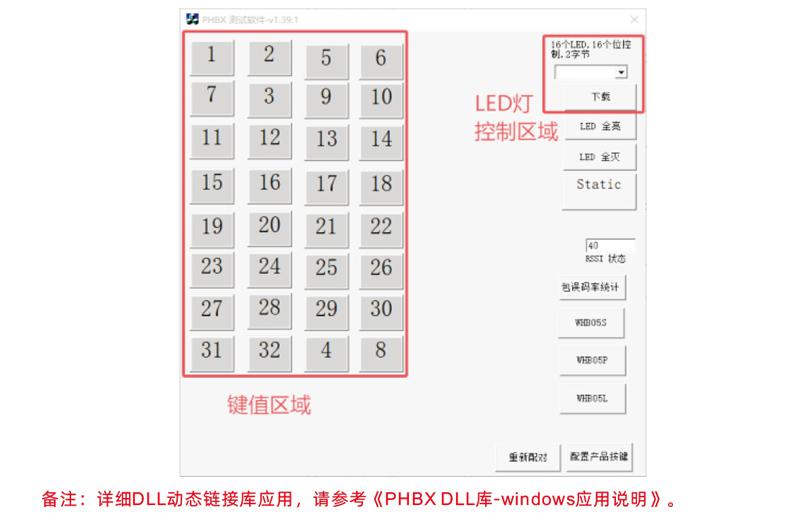
1.Before product development,You can use the demo software we provide,Perform button test and LED light test on the remote control,You can also use the demo as a reference routine for future programming development.;
2.Before using the Demo software,Please plug the USB receiver into the computer first,Confirm that the remote control is sufficient,Long press the power button to turn on,Then use; When any key of the remote control is pressed,The test software demo will display the corresponding key value,After releasing, the key value display disappears.,It means that the key upload is normal;
3.You can also select the LED light signal on the test software demo,Click to download,The corresponding light on the remote control lights up,It means the LED light is transmitted normally.。

| Fault situation | Possible Cause | Troubleshooting Methods |
| Long press the power button, The battery light does not light up, Cannot turn on and off | 1.There is no battery installed in the remote control or the battery is installed in the wrong direction. 2.Insufficient battery power 3.Remote control failure |
1.Check the battery installation of the remote control 2.Charge the remote control 3.Contact the manufacturer to return to the factory for maintenance |
| Plug into the USB receiver, The computer prompts that it cannot be recognized and failed to install the driver. | 1.Computer USB interface depth is inappropriate,Causes poor socket contact 2.Receiver USB failure 3.Computer USB is not compatible |
1.Use USB cable splitter for notebooks; The desktop computer is plugged in the back of the host; 2.Use DEMO software to check whether the USB receiver is working properly 3.Replace a computer to compare and test |
| Remote Control Button, The software has no response | 1.USB receiver is not plugged in 2.The remote control is out of power 3.The remote control and receiver ID are not matched 4.Wireless signal interruption 5.Remote control failure |
1.Plug in USB receiver for computer 2.Remote Control Charging 3.Check the labels on the remote control and receiver,Confirm the ID number is consistent 4.Pairing using DEMO software 5.Contact the manufacturer to return to the factory for maintenance |

1.Please at room temperature and pressure,Used in dry environments,Extend service life;
2.Do not use sharp objects to touch the button area,Extend the service life of the button;
3.Please keep the button area clean,Reduce key wear;
4.Avoid squeezing and falling causing damage to the remote control;
5.Not used for a long time,Please remove the battery,And store the remote control and battery in a clean and safe place;
6.Be careful of moisture protection during storage and transportation。

1.Please read the instructions for use in detail before use,Non-professional personnel are prohibited;
2.Please use the original charger or the charger produced by a regular manufacturer of the same specifications;
3.Please charge it in time,Avoid incorrect operations due to insufficient power and causing unresponsiveness of the remote control;
4.If repair is required,Please contact the manufacturer,If damage caused by self-repair;The manufacturer will not provide a warranty。