
Industrial wireless remote control
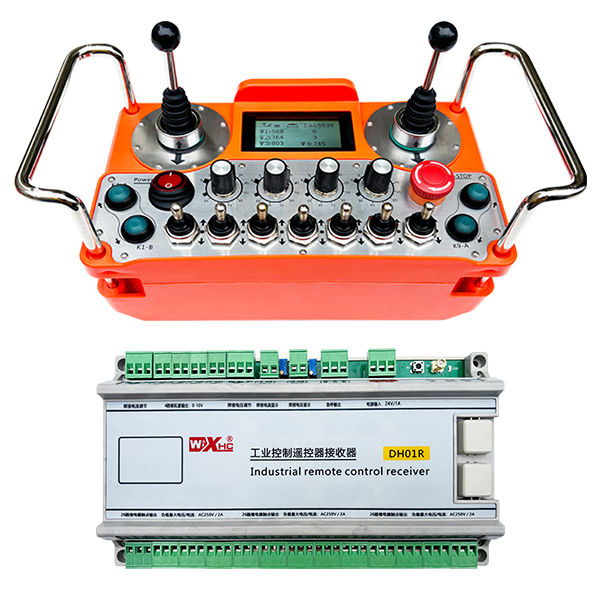
Industrial wireless remote control DH01R-4W-26K
Description

model:DH01R-4W-26K adapter equipment:Various industrial equipment
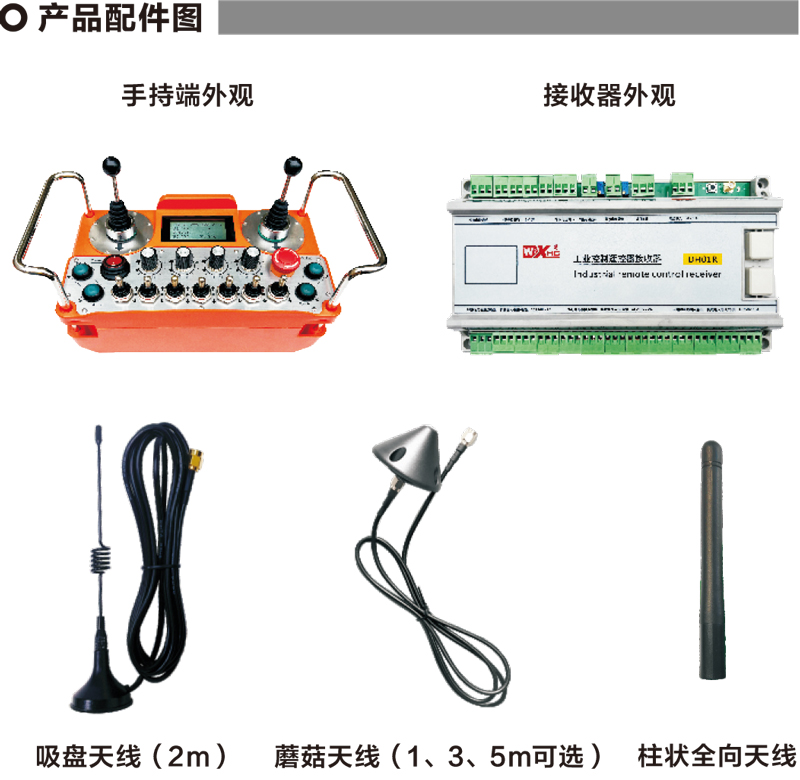
Remark:Three types of antennas can be selected,The default suction cup antenna is equipped with standard
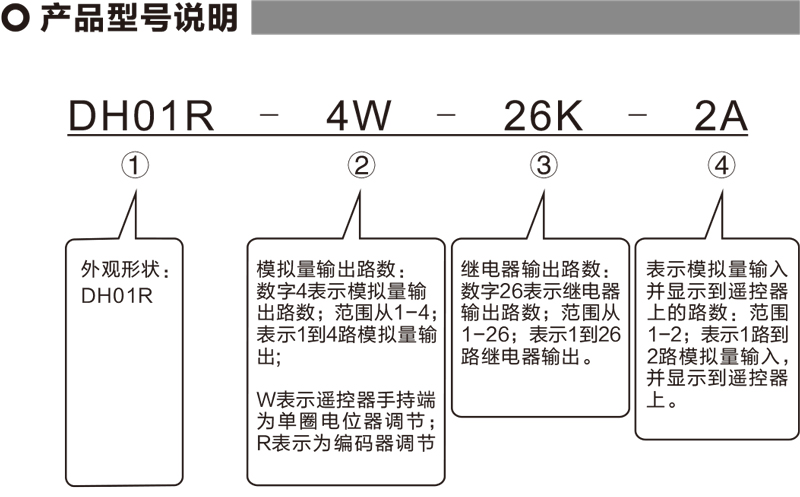
Remark:
① DH01R series,If the suffix is T, it means an emergency stop output;Without T means without emergency stop output。
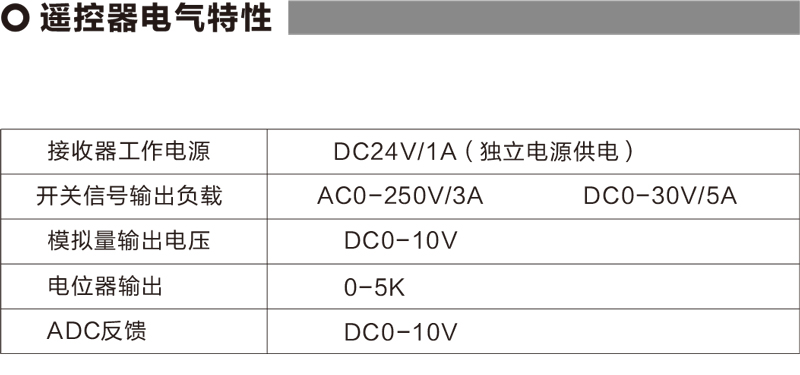
②If there is no analog output,No need to note 0W or 0R;Analog quantity W1, W2, W3, W4 defaults to 0-10V analog voltage output;At the same time, W1 and W2 can expand the output of 2 isolated digital potentiometers,Range 0-5K ohms,1/2watt;Resolution:20ohm。These two digital potentials can be used as welding current and welding voltage control of the welding machine。If this digital potentiometer output is required,User notes are required。
④Analog input,Range from 1 to 2,Indicates that there are 1 to 2 analog inputs (maximum 2 channels);When there is an analog input,Need to note the voltage range of the analog input (our receiver defaults to 0-5V,Users can also note that it is 4-20 mA or 0-10V, etc.) and the display range corresponding to the analog quantity.(for example:Shows 0-100 volts or 0-1000 amps)
The two analog quantities can be used as display of welding current and welding voltage。
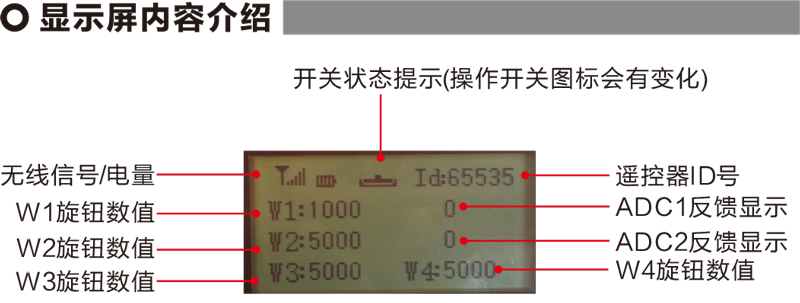
W1 knob value:W1:0-1000(Parameters can be adjusted 0-9999)
W2 knob value:W2:0-5000(Parameters can be adjusted 0-9999)
W3 knob value:W3:0-5000(Parameters can be adjusted 0-9999)
W4 knob value:W4:0-5000(Parameters can be adjusted 0-9999)
ADC1 feedback display:0-1000(Parameters can be adjusted 0-5000)
ADC2 feedback display:0-1000(Parameters can be adjusted 0-5000)

Low pressure:The battery of the remote control is too low,Please replace the battery

Fall out of the internet:Wireless signal interruption,Please check the receiver power supply,Power on again,Restart the remote control

1、Remote control turned on
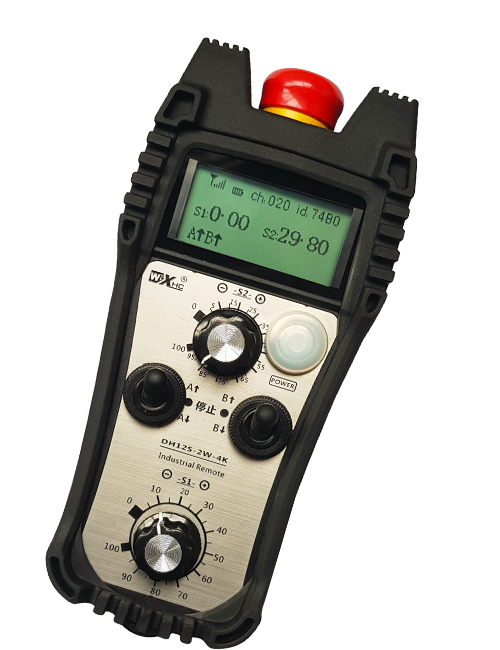
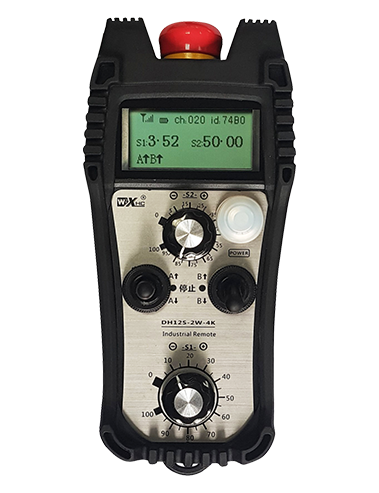
The receiver is powered on,The receiver operating indicator flashes;Two No. 5 batteries installed on the remote control,Turn on the power switch,Display value,It means the startup is successful。The receiver operating indicator light becomes constant。
2、Switch and button functions
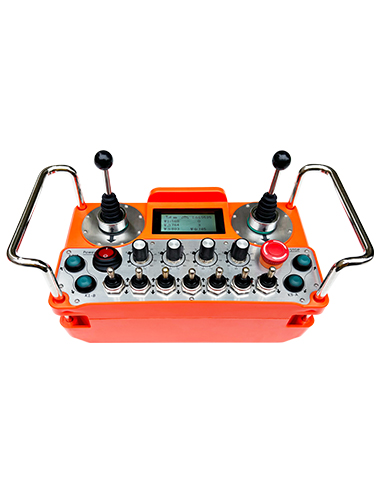
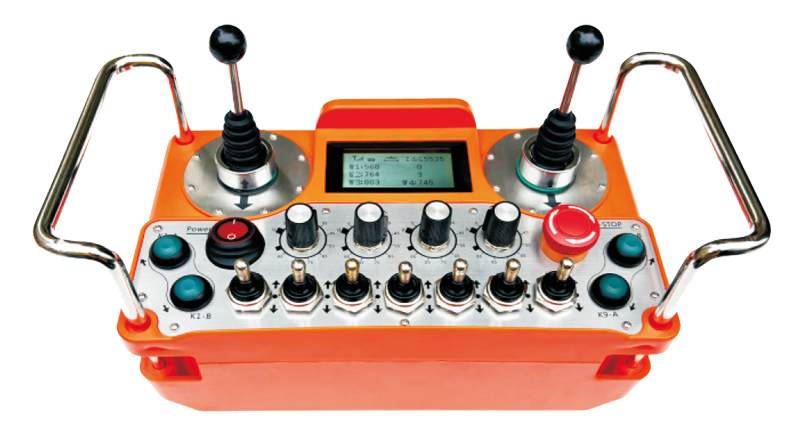
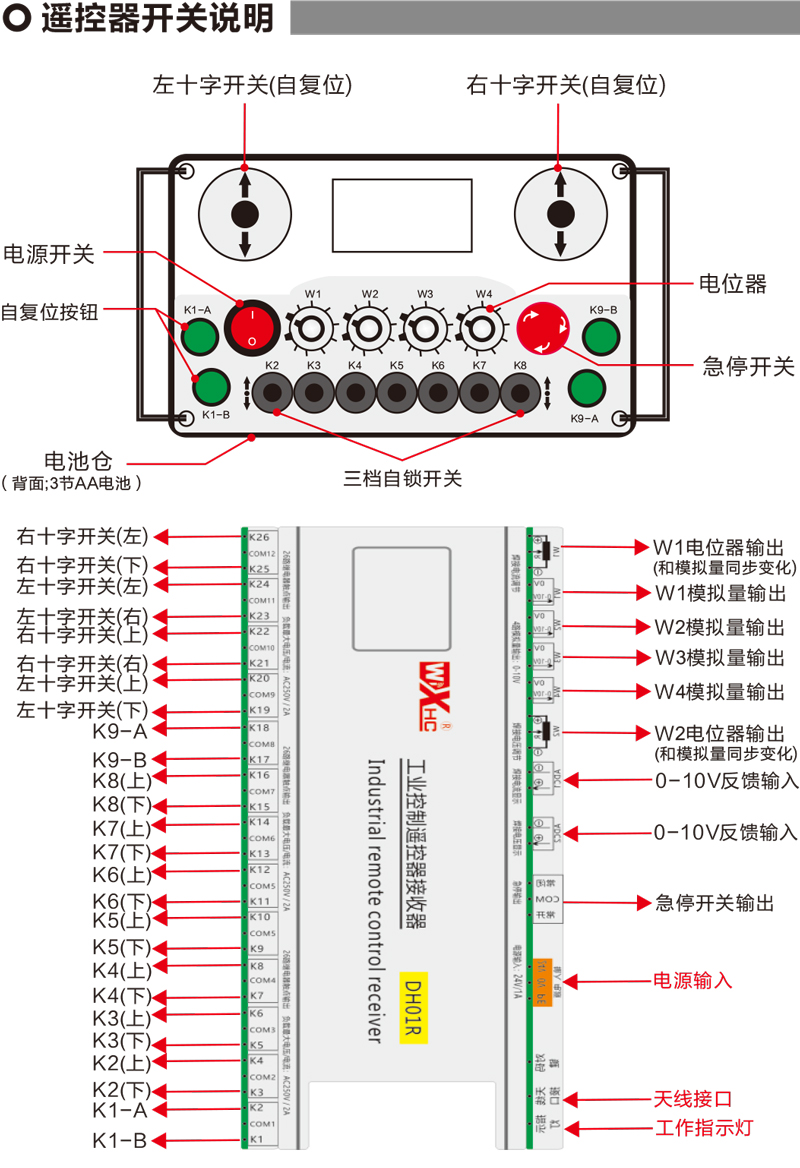
Operate twist switches and buttons on the remote control arbitrarily,It can control the corresponding switch signal output point at the receiver end,All switch signal output points on the receiver are normally open by default
3、W1-W4 speed regulation
Rotate the knob in W1-W4 arbitrarily,Can operate the analog output signal or potentiometer signal corresponding to the receiver end,
The analog output signal at the receiver end is a 0-10V voltage signal by default.,Potentiometer signal default 0-5K;
4、Emergency stop function
Take the emergency stop button,All switch signal outputs are disconnected,Analog output is disconnected;After the emergency stop is released,All switch signal recovery,Analog output recovery;
After the remote control is turned off for 5 seconds,All switch signal outputs are disconnected,The simulation remains unchanged,Remote control turned on,Automatically restore the switch signal output;
5、Parameter menu (user prohibits private modification)
Some functions of the remote control can be adjusted through parameters,When the display screen W1=0,Tap the K9-B button 3 times in a row,Then click the K9-A button 3 times in a row,Enter the parameter menu;
K9-A and K9-B keys to turn the menu page and select parameters;Hold K1-A,Press the K9-A/B button again,Make parameter modifications;
Exit the Parameters Menu:Choose to save or not,Then press the K1-A button to confirm the exit;
F1W1 range:Display range value of display W1 knob,0-9999Adjustable;
F2W2 range:Display range value of W2 knob on display screen,0-9999Adjustable;
F3W3 range:Display range value of W3 knob on display screen,0-9999Adjustable;
F4W4 range:Display range value of W4 knob on display screen,0-9999Adjustable;
F5A1 range:Display ADC1 feedback display range value,0-5000Adjustable;
F6A2 range:Display ADC2 feedback display range value,0-5000Adjustable;
Alarm current:Set the alarm value displayed by ADC1 and ADC2 feedback,When ADC1 and 2 exceed this value,Remote control display alarm prompt;When this value is 0,Alarm function invalid;
The final right to interpret this product belongs to Chengdu Xinshen Technology Co., Ltd.。